 Home
Home

Beginning of the main content.
Complimentary Wi-Fi
VIA Rail offers free wireless Internet service on most of its trains and in business lounges as well as in certain stations, see service availability below for more information.
How to connect
- Activate the Wi-Fi on your device.
- Select the “VIA_WiFi_VIDEO” wireless network. In the stations, select the "via_station" wireless network.
- Launch your web browser and go to "Select your preferred language".
- Accept the Terms & Conditions.
Service availability
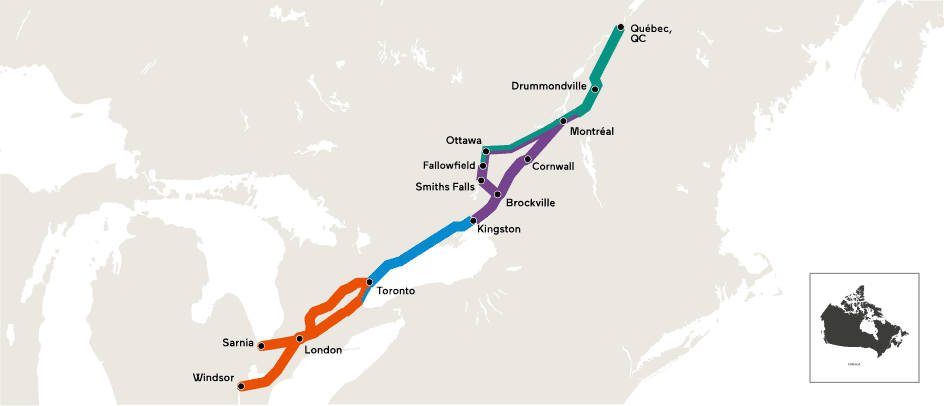
VIA Rail is proud to provide complimentary Wi-Fi service on board most of its trains, in its Business lounges and in select stations in the Québec City – Windsor corridor.
VIA offers mobile Wi-Fi service only on trains in the Quebec City - Windsor corridor
Note that Wi-Fi is also offered on board the Ocean train (Montreal - Halifax) in the service cars located on either side of the dining car.
If you are having trouble logging in, please contact our service provider at 1 866 905-6784 or email support@viawifi.ca
Note that wireless Internet service is not available on the following trains: Trains 97 and 98 (Toronto - Niagara Falls - New York).
Please note that access to the network could be difficult in the Matapedia Valley.
Availability in our stations
You can enjoy complimentary wireless Internet service at several stations in the Québec City-Windsor corridor stations and in our exclusive pre-boarding Business lounges:
- Dorval*
- Fallowfield
- Kingston*
- London*
- Belleville
- Montréal*
- Ottawa*
- Montréal*
- Québec City*
- Toronto**
- Windsor *
- * Station with a business lounge.
- ** The Wi-Fi service is only available in the Business lounge.
Wireless Internet access is also available at the following stations:
- Edmonton
- Halifax
- Kingston*
- Jasper
- Moncton
- Vancouver
- Winnipeg
Note: Note: VIA currently provides Wi-Fi mobile service only in the Québec City –Windsor corridor. “Good” to “very good” signal strength is offered within more than 98% of the coverage area determined by our mobile partners. Users may experience weaker signal strength in the Trenton-Cobourg, Chatham-Kent and Hyde Park (London) regions of Ontario. To ensure more reliable service and better performance for all users, VIA reserves the right to limit bandwidth use and deny access to certain web sites, including certain video streaming sites.
To access the on-board Wi-Fi network and the entertainment portal (the "Service") and to ensure a consistent and good quality Service to all our passengers, you must agree to the following conditions:
- Take advantage of the Service to browse the Internet, send and receive emails and use social networks. However, please avoid viewing videos and sending or downloading large files. VIA Rail restricts access to the network by limiting your speed to 4 Mbps.
- VIA Rail reserves the right to block or limit access to certain services, websites, or applications.
- If you use the on-board entertainment portal or a video conferencing service, be respectful of other travellers and please wear headphones.
- It is strongly discouraged to conduct confidential transactions on any wireless network, including that of the Service. Traffic onboard WI-FI network is not encrypted, data sent and received could be intercepted by third parties. You are solely responsible for the security of your own devices and information.
- You will not use the Service in violation of applicable laws and regulations or that would infringe any copyright, trademark, trade secret, right of publicity, right of privacy or any other right of any person or entity. You will not access content that contains nudity, sexual acts, violence, or any form of discrimination. You must refrain from any online practices or procedures that would expose the Service to virus attacks, spyware, malware, or hackers.
- You release VIA Rail from any liability for:
- the performance and operation of the Service. - the contents of the Service, as well as the integrity, veracity or confidentiality of the information provided by the Service.
- and any damage caused directly or indirectly by using the Service, including to your computer, mobile, software, or data.
- If the Service is not accessible on board the train, no refund will be made.
Please note that when you connect to the on-Board Wi-Fi network, the Wi-Fi access server operated by VIA Rail automatically and temporarily records certain information relating to your connection, including your MAC address ("Media Access Control"). The MAC address alone cannot reveal a person's identity. This information is collected for technical and statistical purposes only. Our privacy policy is available on VIA Rail's website by following this link https://www.viarail.ca/en/our-privacy-policy.
VIA Rail reserves the right to modify the Service offered, including its features, its conditions of use or its system without prior notice.
Troubleshooting
- I’m unable to connect to the onboard Wi-Fi on my Apple device.
- On your device (iPhone, iPad, or iPod touch), go to Settings and tap Wi-Fi.
- Select VIA_WIFI_VIDEO, then press the Forget this network option in the next screen.
- Turn off Wi-Fi for a few seconds before opening it again.
- Select VIA_WIFI_VIDEO.
- Select your preferred language and accept the conditions on the portal in order to access the Internet.
- My Apple device keeps getting kicked off the Wi-Fi.
- Our on-board Wi-Fi technology is based on cellular connection. Because cell coverage is not always optimal where our trains travel, browsing the web can be slower for a few seconds.
- When this happens, your device may automatically go into Cellular data mode and appear to be rejected by our Wi-Fi system.
- To resolve this problem:
- On your device (iPhone, iPad, or iPod touch), go to Settings.
- Select Cellular Data.
- Scroll down and tap the Wi-Fi Assistant switch to turn this feature off.
- How do I open a session?
- Turn on your laptop and launch your web browser. A portal box will automatically appear where you will be able to Select your preferred language. Once your language selected, you will be able to set your SSID (service set identifier) to “VIA_WiFi_VIDEO” or to “VIA_Station”.
- Can I use my VPN (virtual private network)?
- Most VPNs will work; however, VIA Rail cannot guarantee that your network will function properly due to the complexity of VPN technology.
- What is the safest way to use VIA Rail's wireless internet service?
- Stay alert, do not give out any personal information on an unknown site.
- If possible, use a VPN (virtual private network).
- Avoid using website types that don't have the "https:/"
- I launched my browser, but the Internet portal does not appear. What should I do?
- If you do not access this page, you may need to set your SSID (wireless network name) to “VIA_WiFi_VIDEO” or “VIA_Station” when you are in a station.
- I have logged on from standby mode and the Internet portal does not appear. What should I do?
- Just restart your computer, then try again.
- Why did my session suddenly end?
- You might have closed the pop-under window that opened when you logged on (closing this window temporarily or permanently terminates the session). You might also have switched trains or disembarked. In this case, re-boot, then re-enter your user name and password.
For further information or immediate assistance, please call 1 866 905-6784 anytime.

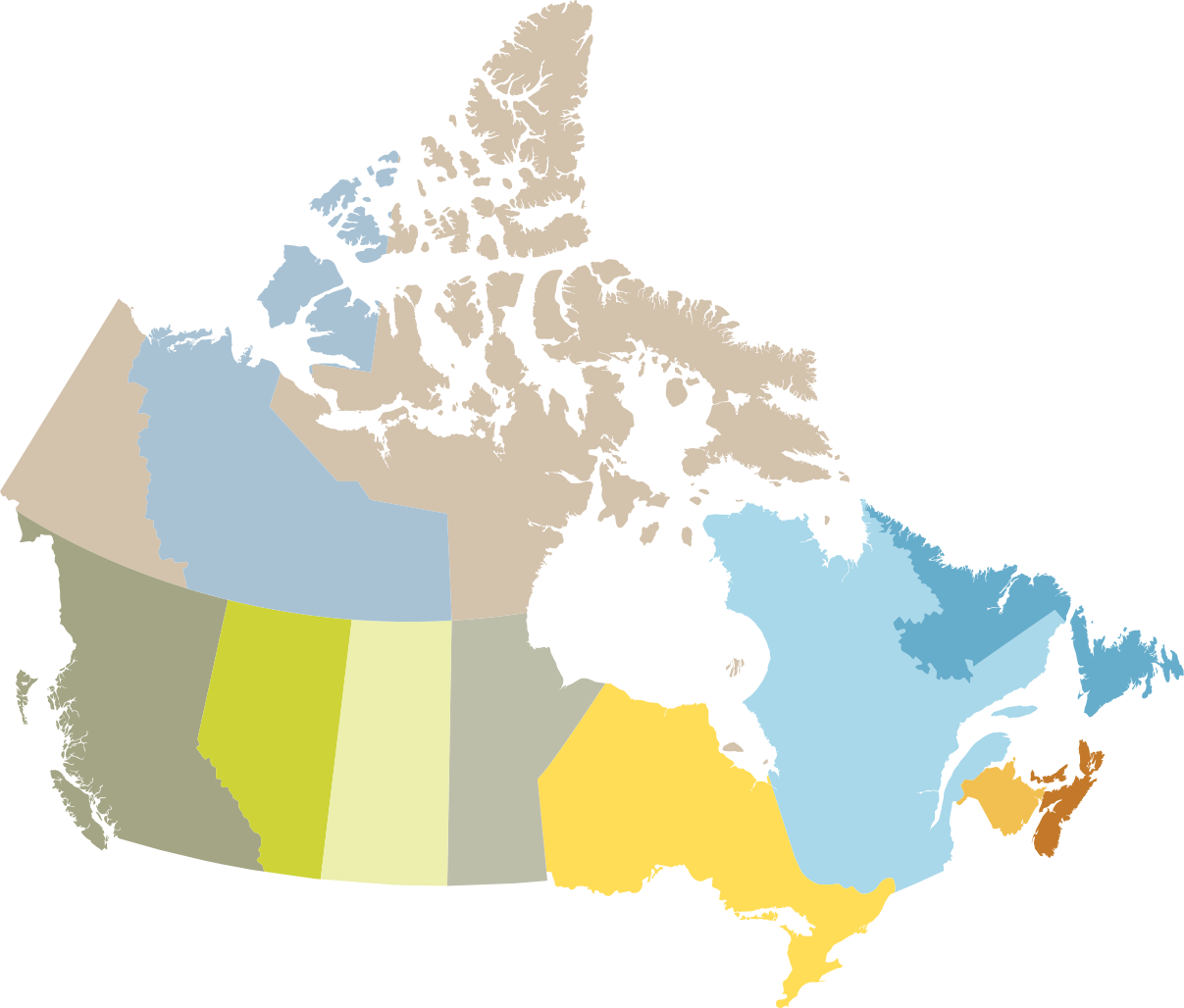
VIA Rail serves more than 410 train stations
Did you know? VIA Rail serves more cities in Canada than any other carrier. Are you looking for a destination or a departure station?